
مقدمة
Welcome to the Greenlee DM-810A True RMS Digital Multimeter user manual. This document provides essential information for the safe and effective operation, maintenance, and troubleshooting of your device. The DM-810A is designed for accurate measurement of AC/DC voltage, AC/DC current, resistance, capacitance, frequency, and continuity, making it a versatile tool for electrical professionals.
معلومات السلامة
لضمان التشغيل الآمن للعداد وصيانته ، اتبع هذه التعليمات. قد يؤدي عدم مراعاة هذه التحذيرات إلى حدوث إصابة خطيرة أو الوفاة.
- Always read and understand the entire instruction manual before using the meter.
- لا تتجاوز حدود الإدخال القصوى لأي وظيفة.
- توخ الحذر عند العمل مع المجلدtagالجهد الكهربائي أعلى من 30 فولت تيار متردد RMS، أو 42 فولت ذروة، أو 60 فولت تيار مستمر. هذه الفولتياتtagإنها تشكل خطر صدمة.
- Always use the proper terminals, function, and range for your measurements. The DM-810A features a Beep-Jack audible and visible warning to guard against improper A and mA terminal plug-in.
- Inspect test leads for damaged insulation or exposed metal before each use. Replace if damaged.
- لا تستخدم الجهاز إذا بدا تالفًا أو إذا كان غلافه مفتوحًا.
- تأكد من إغلاق غطاء البطارية بإحكام قبل التشغيل.
- Adhere to local and national safety codes. Use personal protective equipment (PPE) such as approved safety glasses and electrically insulated gloves when necessary.
المنتج انتهىview
This section identifies the key parts and controls of your Greenlee DM-810A multimeter.

الشكل 1: أمام view of the Greenlee DM-810A Digital Multimeter, showing the display, function selector dial, and input jacks.
- عرض: Large LCD for clear readings, often with dual display capability.
- Function Selector Dial: Used to select the desired measurement function (e.g., V~, V-, A~, A-, Ω, CAP, Hz, Continuity).
- مقابس الإدخال:
- كوم: مدخل مشترك (سلبي) لجميع القياسات.
- VΩHz: مدخلات إيجابية للحجمtage, resistance, frequency, and capacitance measurements.
- mAμA: مدخلات إيجابية للملليampهنا وميكروampالقياسات الحالية.
- A: مدخلات إيجابية لـ ampالقياسات الحالية.
- أزرار:
- يختار: Toggles between functions on a single dial position (e.g., AC/DC voltagهـ، ثنائي/استمرارية).
- RANGE: Manually selects measurement range or returns to auto-ranging.
- △: Delta function for relative measurements.
- معلق: يقوم بتجميد قراءة الشاشة الحالية.
يثبت
تركيب البطارية
The Greenlee DM-810A requires batteries for operation. Refer to the back of the meter for the battery compartment. Use a screwdriver to open the compartment, insert the specified batteries (typically AA or 9V, check the compartment label), observing correct polarity, and then securely close the cover.
ربط خيوط الاختبار
تأكد دائمًا من توصيل أسلاك الاختبار بشكل صحيح قبل إجراء القياسات.
- أدخل سلك الاختبار الأسود في كوم مقبس الإدخال (المشترك).
- Insert the red test lead into the appropriate positive input jack based on the measurement you intend to make:
- للمجلدtage, resistance, capacitance, or frequency, use the فولتا هرتز جاك.
- للمليampere or microampere current, use the مللي أمبير جاك.
- ل ampere current, use the A جاك.
- عداد Beep-Jack feature will provide an audible and visible alert if the function selector is set to a current measurement (A or mA) but the test lead is incorrectly plugged into a voltage/resistance jack, or vice-versa. This helps prevent damage to the meter and ensures correct setup.
تعليمات التشغيل
This section details how to perform various measurements with your DM-810A multimeter.
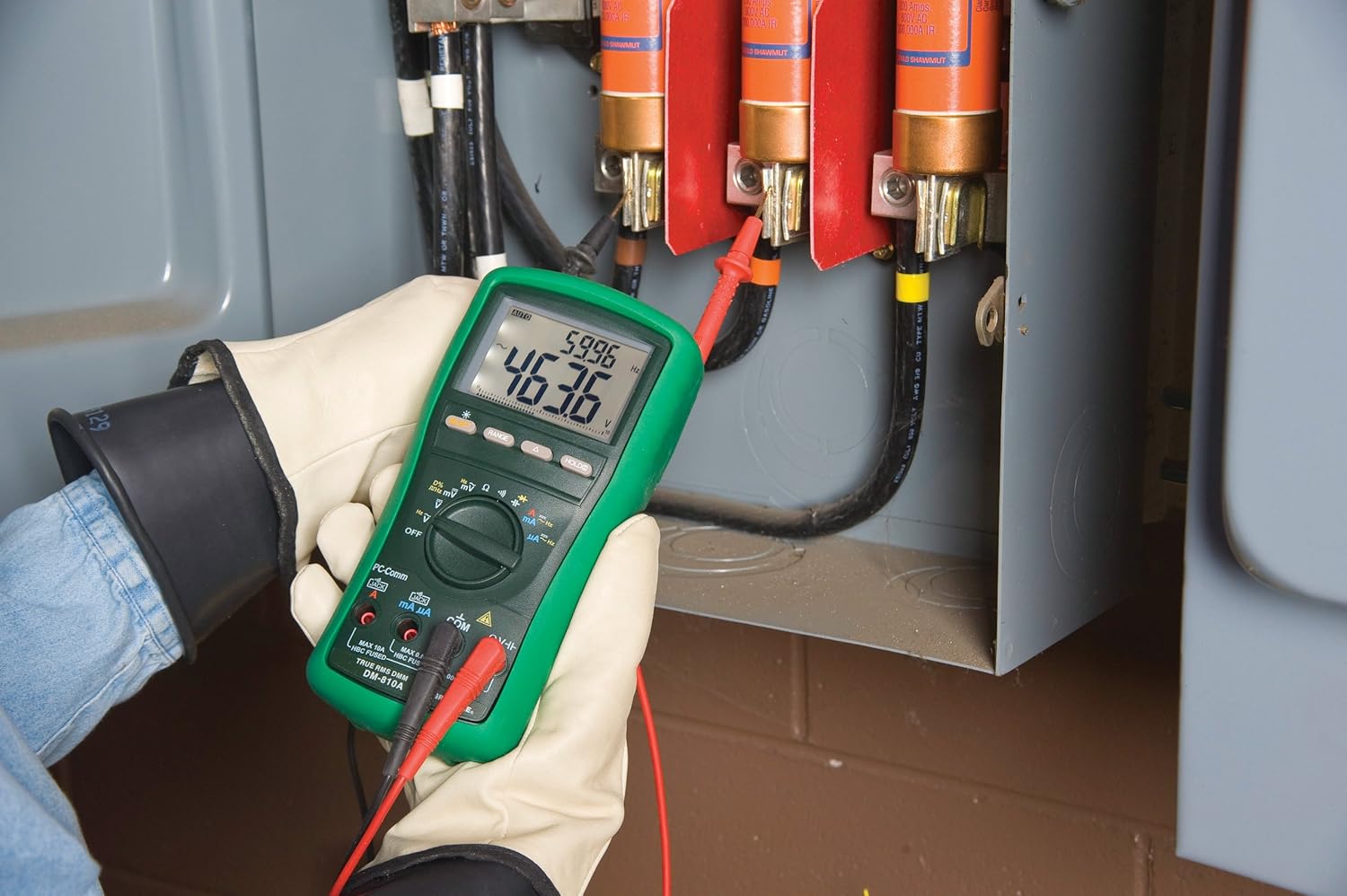
الشكل 2: The Greenlee DM-810A Digital Multimeter being used to take measurements within an electrical panel, demonstrating practical application.
قياس حجم التيار المتردد / التيار المستمرtage
- Set the function selector to V~ (AC Voltagهـ) أو V- (جهد التيار المستمر)tage). Use the SELECT button to toggle if both are on one position.
- قم بتوصيل سلك الاختبار الأسود بـ كوم وأدى الاختبار الأحمر إلى فولتا هرتز.
- قم بتوصيل مجسات الاختبار بالتوازي عبر الدائرة أو المكون المراد قياسه.
- اقرأ المجلدtagقيمة البريد على الشاشة.
قياس تيار AC / DC
مهم: Current measurements require the meter to be connected in series with the circuit. Ensure the circuit is de-energized before connecting the meter.
- إلغاء تنشيط الدائرة.
- Set the function selector to A~ (AC Current) or A- (DC Current), or mA~ / mA-.
- قم بتوصيل سلك الاختبار الأسود بـ كوم. Connect the red test lead to مللي أمبير for small currents or A for larger currents (up to 10A). The Beep-Jack warning will activate if leads are in the wrong jacks for the selected function.
- Open the circuit where the current is to be measured and connect the meter in series.
- أعد تشغيل الدائرة واقرأ قيمة التيار.
- De-energize the circuit before disconnecting the meter.
قياس المقاومة (Ω)
- De-energize the circuit or component.
- Set the function selector to Ω.
- قم بتوصيل سلك الاختبار الأسود بـ كوم وأدى الاختبار الأحمر إلى فولتا هرتز.
- قم بتوصيل مجسات الاختبار عبر المكون.
- اقرأ قيمة المقاومة.
Measuring Capacitance (CAP)
- تأكد من تفريغ المكثف بالكامل قبل القياس.
- Set the function selector to CAP.
- قم بتوصيل سلك الاختبار الأسود بـ كوم وأدى الاختبار الأحمر إلى فولتا هرتز.
- قم بتوصيل مجسات الاختبار عبر أطراف المكثف.
- اقرأ قيمة السعة.
قياس التردد (هرتز)
- Set the function selector to Hz.
- قم بتوصيل سلك الاختبار الأسود بـ كوم وأدى الاختبار الأحمر إلى فولتا هرتز.
- قم بتوصيل مجسات الاختبار عبر مصدر الإشارة.
- اقرأ قيمة التردد.
اختبار الاستمرارية
- De-energize the circuit or component.
- Set the function selector to the continuity symbol (often shared with diode test, use SELECT to toggle).
- قم بتوصيل سلك الاختبار الأسود بـ كوم وأدى الاختبار الأحمر إلى فولتا هرتز.
- Connect the test probes across the circuit path or component.
- An audible beep indicates continuity (low resistance). The display will show the resistance value.
صيانة
تنظيف
امسح العداد بالإعلاناتamp استخدم قطعة قماش ومنظفًا معتدلًا. لا تستخدم مواد كاشطة أو مذيبات. تأكد من جفاف الجهاز تمامًا قبل الاستخدام.
استبدال البطارية
When the battery indicator appears on the display, replace the batteries immediately to ensure accurate readings. Follow the battery installation steps outlined in the Setup section.
استبدال الصمامات
If the current measurement functions cease to work, the internal fuses may need replacement. Refer to the meter's internal diagram (usually accessible by opening the battery compartment or back casing) for fuse specifications and replacement instructions. Always replace fuses with those of the specified type and rating to maintain safety and performance.
استكشاف الأخطاء وإصلاحها
This section provides solutions for common issues encountered during the operation of your DM-810A multimeter.
| مشكلة | السبب المحتمل | حل |
|---|---|---|
| لا يوجد عرض أو عرض باهت | البطاريات الميتة أو المنخفضة | استبدال البطاريات. |
| قراءات غير صحيحة | Incorrect function/range selected; Damaged test leads; External interference | Verify function and range; Inspect and replace test leads; Move away from strong electromagnetic fields. |
| القياس الحالي لا يعمل | Blown fuse; Incorrect lead connection | Check and replace fuses; Ensure leads are in the correct A or mA jacks. |
| Beep-Jack warning active | Test leads connected to incorrect input jacks for the selected function | Adjust test lead connections to match the selected function on the dial. |
| اختبار الاستمرارية لا يصدر صوت تنبيه | Open circuit; High resistance | Ensure the circuit is closed; Check for breaks in the circuit or component. |
المواصفات الفنية
The following table outlines the key technical specifications for the Greenlee DM-810A Digital Multimeter.
| ميزة | قيمة |
|---|---|
| ماركة | جرينلي |
| نموذج | دي ام-810ا |
| نوع القياس | صحيح RMS رقمي متعدد |
| مصدر الطاقة | تعمل بالبطارية |
| أسلوب | رقمي |
| وزن العنصر | 16 أوقية (1 جنيه) |
| أبعاد المنتج (الطول × العرض × الارتفاع) | 10 × 10 × 12 بوصة |
| الشهادات | CE, CSA, UL |
| رمز المنتج الموحد | 783310087434 |
الضمان والدعم
معلومات الضمان
The Greenlee DM-810A Digital Multimeter comes with a ضمان الشركة المصنعة لمدة عامينيغطي هذا الضمان عيوب المواد والتصنيع في ظل الاستخدام العادي. يُرجى الاحتفاظ بإيصال الشراء للمطالبة بالضمان.
دعم العملاء
For technical assistance, warranty service, or to inquire about replacement parts, please contact Greenlee customer support. Refer to the official Greenlee webقم بزيارة الموقع أو عبوة المنتج للحصول على أحدث معلومات الاتصال.