
مقدمة
This manual provides essential information for the safe and efficient use of your Doro PhoneEasy 105wr cordless phone. Please read these instructions carefully before using the phone and retain them for future reference.
محتويات الحزمة
قبل أن تبدأ، تأكد من وجود جميع العناصر في العبوة:
- Doro PhoneEasy 105wr Handset
- الوحدة الأساسية
- محول الطاقة للوحدة الأساسية
- سلك خط الهاتف
- Rechargeable Batteries (NiMH)
- دليل المستخدم (هذا المستند)
يثبت
1. توصيل الوحدة الأساسية
- قم بتوصيل محول الطاقة: Plug the small end of the power adapter into the DC IN socket on the back of the base unit. Plug the other end into a wall power outlet.
- Connect the Telephone Line Cord: Plug one end of the telephone line cord into the LINE socket on the back of the base unit. Plug the other end into your telephone wall socket.
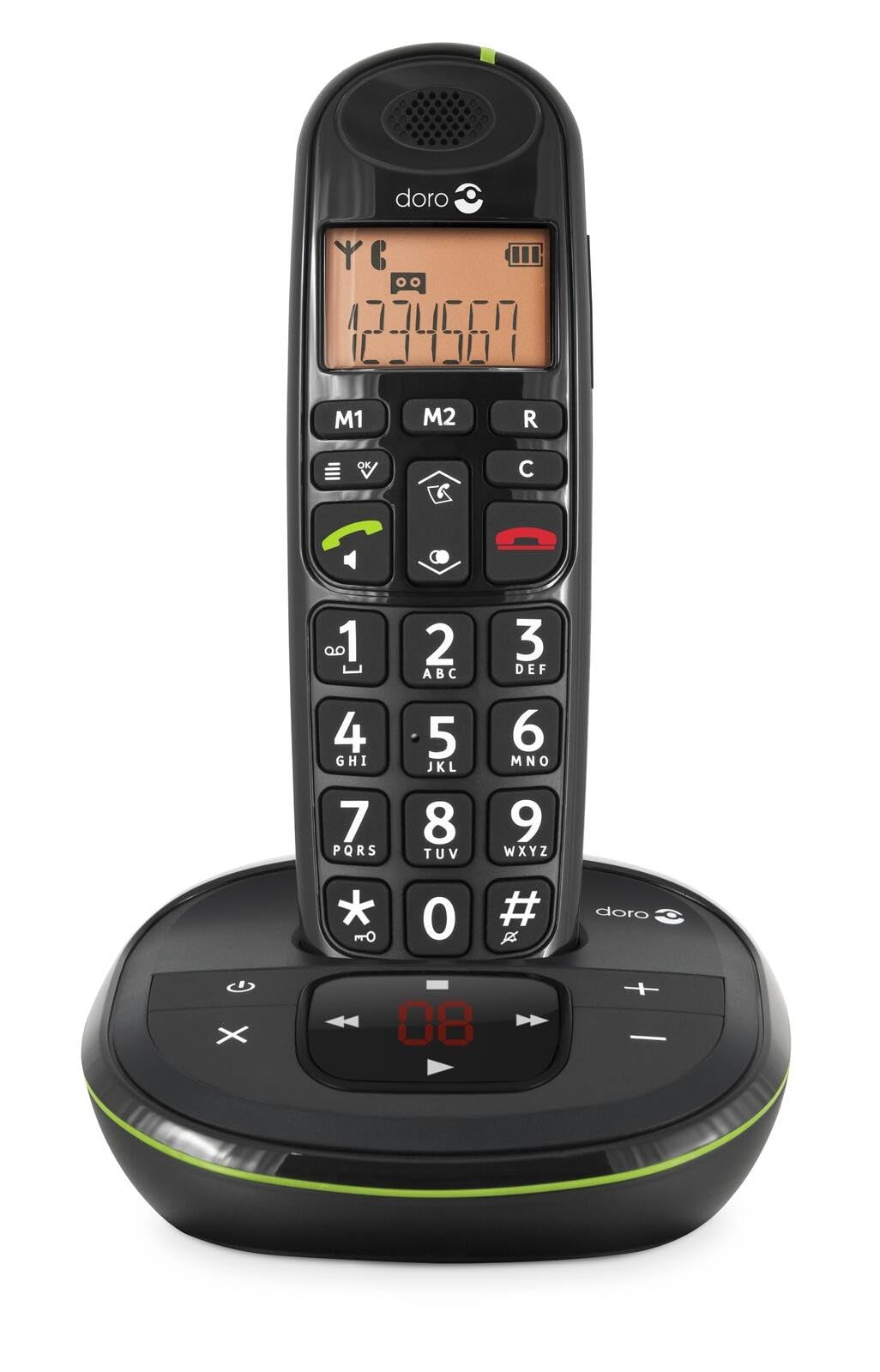 Image: The Doro PhoneEasy 105wr handset docked in its base unit, showing the keypad and display.
2. Installing Batteries in the Handset
- افتح حجرة البطارية: Slide the battery compartment cover on the back of the handset downwards and remove it.
- أدخل البطاريات: Insert the supplied rechargeable NiMH batteries, observing the correct polarity (+ and -) as indicated inside the compartment.
- إغلاق المقصورة: قم باستبدال غطاء حجرة البطارية عن طريق تحريكه لأعلى حتى يستقر في مكانه.
3. شحن الهاتف
Place the handset on the base unit. The battery icon on the handset display will animate to indicate charging. For optimal battery performance, charge the handset for at least 10-12 hours before its first use, even if the display indicates a full charge sooner.
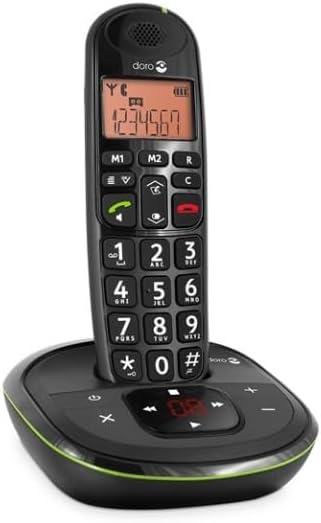
 Image: A slightly angled view of the Doro PhoneEasy 105wr handset in its charging cradle, highlighting its ergonomic design.
تعليمات التشغيل
إجراء مكالمة
- الاتصال: ارفع السماعة أو اضغط على زر الاتصال الأخضر. Enter the phone number using the keypad.
- إنهاء المكالمة: اضغط على زر إنهاء المكالمة الأحمر أو ضع سماعة الهاتف مرة أخرى على الوحدة الأساسية.
تلقي مكالمة
عندما يرن الهاتف، اضغط على زر الاتصال الأخضر to answer. To end the call, press the زر إنهاء المكالمة الأحمر or return the handset to the base unit.
ضبط مستوى الصوت
أثناء المكالمة، استخدم Up و تحت navigation buttons on the handset to adjust the earpiece volume.
دليل الهاتف
Your Doro PhoneEasy 105wr can store up to 20 entries in its phonebook.
- إضافة مدخل:
- اضغط على قائمة طعام زر.
- Navigate to "Phonebook" and select "Add New".
- أدخل الاسم والرقم، ثم احفظ.
- الاتصال من دليل الهاتف:
- اضغط على دليل الهاتف button (often a book icon).
- Scroll through the entries using the navigation buttons.
- اضغط على زر الاتصال الأخضر to dial the selected entry.
Answering Machine (if applicable)
The Doro PhoneEasy 105wr features a digital answering machine with a recording capacity of 20 minutes.
- تشغيل الرسائل: اضغط على تشغيل/إيقاف الزر الموجود على الوحدة الأساسية.
- حذف الرسائل: أثناء تشغيل الرسالة، اضغط على يمسح الزر الموجود على الوحدة الأساسية.
- تسجيل الرسالة الصادرة: Refer to the handset menu for options to record or select a pre-recorded outgoing message.
 الصورة: جبهة مباشرة view of the Doro PhoneEasy 105wr cordless phone, showing the large buttons and clear display on the handset, and the answering machine controls on the base.
صيانة
- تنظيف: امسح الهاتف والوحدة الأساسية بقطعة قماش ناعمة.amp القماش. لا تستخدم المنظفات أو المذيبات الكاشطة.
- العناية بالبطارية: استخدم فقط البطاريات القابلة لإعادة الشحن المحددة. إذا لم يُستخدم الهاتف لفترة طويلة، فأزل البطاريات لمنع التسريب.
- الظروف البيئية: تجنب تعريض الهاتف لدرجات الحرارة العالية، أو أشعة الشمس المباشرة، أو الرطوبة.
استكشاف الأخطاء وإصلاحها
| مشكلة | السبب المحتمل | حل |
|---|---|---|
| لا يوجد نغمة اتصال | سلك خط الهاتف غير موصول أو به عطل. | Check the telephone line cord connection to the base unit and wall socket. Test with another phone if possible. |
| الهاتف لا يشحن | Handset not correctly placed on the base unit; dirty charging contacts; faulty batteries. | Ensure the handset is seated correctly. Clean charging contacts on both handset and base with a dry cloth. Replace batteries if old. |
| جودة الصوت سيئة | Handset too far from base unit; interference; low battery. | Move closer to the base unit. Avoid placing the base near other electronic devices. Charge the handset battery. |
| لا يمكن إجراء/استقبال المكالمات | No power to base unit; handset not registered. | Check power adapter connection. Refer to the full manual for handset registration instructions if needed. |
تحديد
| ميزة | التفاصيل |
|---|---|
| ماركة | دورو |
| رقم الموديل | 380102 |
| لون | أسود |
| نوع الهاتف | لاسلكي |
| مادة | المعادن (المكونات الداخلية) |
| مصدر الطاقة | يعمل بالبطارية (بطارية 1 أمبير متضمنة) |
| نوع المسجل | لوحة مفاتيح واحدة |
| أبعاد العنصر (الطول × العرض × الارتفاع) | 19.4 × 15.4 × 10.3 سم |
| وزن العنصر | 706 جرام |
| نوع نظام الرد | رقمي |
| وقت التحدث | 600 Minutes (10 hours) |
| وقت الاستعداد | 100 ساعة |
| تسجيل القدرات | 20 دقائق |
| معرف المتصل | نعم |
| Independent Test Certification | نجمة الطاقة |
الضمان والدعم
Information regarding specific warranty terms and customer support contact details is not available in this document. Please refer to the warranty card included with your product or visit the official Doro webموقع للحصول على أحدث المعلومات.
For further assistance, you may contact Doro customer service through their official channels.