
مقدمة
This manual provides detailed instructions for the setup, operation, and maintenance of your Sylvania SRCD243 Portable CD Player with AM/FM Radio. Please read this manual thoroughly before using the unit to ensure proper function and longevity.
الميزات الرئيسية
- Portable CD Boombox with AM/FM Radio
- CD-R compatible CD player
- Skip/Search Function for easy track navigation
- Repeat 1/All Function for continuous playback
- 20 track programmable memory
- شاشة LED واضحة
- Aux In Jack for connecting external audio devices
- Operates on AC power (adapter included) or 8 x 'C' (UM-2) size batteries
يثبت
تشغيل الوحدة
The SRCD243 can be powered using the included AC wall adapter or by batteries for portable use.
- **AC Power:** Insert the small end of the AC adapter into the DC IN jack located on the back of the unit. Plug the other end into a standard AC 120V/60Hz wall outlet.
- **Battery Power:** Open the battery compartment on the bottom of the unit. Insert 8 x 'C' (UM-2) size batteries, ensuring correct polarity (+/-). Close the battery compartment securely.
Connecting External Devices (Aux In)
To play audio from an external device (e.g., smartphone, MP3 player), connect a 3.5mm audio cable (not included) from the device's headphone jack to the AUX IN jack on the side of the boombox. Switch the FUNCTION selector to 'AUX IN'.

الشكل 1: الجبهة view of the Sylvania SRCD243 Portable CD Player. This image shows the two front speakers, the central control panel with an LED display, and various buttons for CD and radio functions. A carrying handle is visible at the top.
تعليمات التشغيل
تشغيل القرص المضغوط
- Open the CD compartment door by gently lifting the lid.
- Place a CD (or CD-R) onto the center spindle with the label side facing up.
- أغلق باب حجرة الأقراص المضغوطة بإحكام حتى تسمع صوت طقطقة.
- Set the FUNCTION selector (located on the side) to 'CD'.
- اضغط على زر التشغيل/الإيقاف المؤقت لبدء التشغيل. سيظهر رقم المسار على شاشة LED.
- لإيقاف التشغيل مؤقتًا، اضغط على زر التشغيل/الإيقاف المؤقت مرة أخرى. اضغط عليه مرة أخرى لاستئناف التشغيل.
- لإيقاف التشغيل ، اضغط على زر STOP.
- **Skip/Search:** Press the SKIP buttons (forward or backward) to skip to the next or previous track. Press and hold the SKIP buttons to search rapidly through the current track.
- **Repeat:** Press the REP button once to repeat the current track. Press it again to repeat all tracks on the CD. Press a third time to cancel repeat mode.
- **Program Play:** While in STOP mode, press the PROG button. The display will show "P01". Use the SKIP buttons to select your desired track. Press PROG again to confirm. Repeat for up to 20 tracks. Press PLAY/PAUSE to start programmed playback.
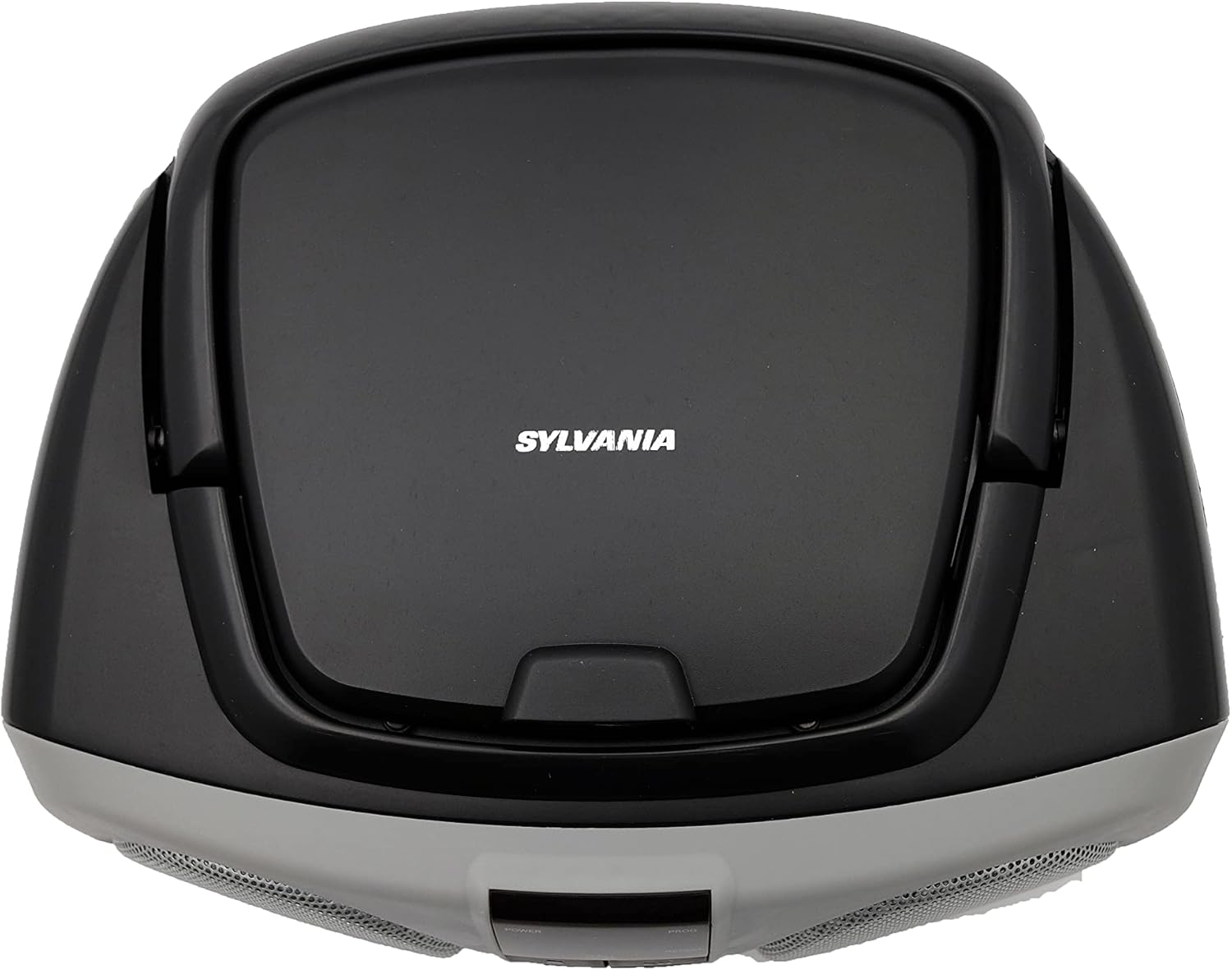
الشكل 2: الجزء العلوي view of the Sylvania SRCD243 Portable CD Player. This image highlights the top-loading CD compartment with the Sylvania logo and "DIGITAL COMPACT DISC PLAYER PORTABLE CD STEREO RADIO SYSTEM" text. The carrying handle is also visible.
تشغيل راديو AM / FM
- Set the FUNCTION selector (located on the side) to 'RADIO'.
- Select the desired band (AM or FM) using the AM/FM switch.
- Rotate the TUNING knob (located on the side) to select your desired radio station. Extend the FM telescopic antenna for better FM reception. For AM reception, rotate the unit for best signal.
التحكم في مستوى الصوت
Adjust the volume using the VOLUME slider located on the side of the unit. Slide towards 'MAX' for louder sound and 'MIN' for softer sound.
صيانة
- **Cleaning the Unit:** Use a soft, dry cloth to clean the exterior of the unit. Do not use abrasive cleaners or solvents.
- **CD Care:** Handle CDs by their edges. Keep them clean and free of scratches. Store CDs in their cases when not in use.
- **Laser Lens Care:** Do not touch the laser lens inside the CD compartment. If it becomes dirty, use a standard CD lens cleaner.
- **Storage:** If storing the unit for an extended period, remove the batteries to prevent leakage.
استكشاف الأخطاء وإصلاحها
| مشكلة | السبب المحتمل | حل |
|---|---|---|
| لا يوجد طاقة | AC adapter not connected properly or batteries are dead/incorrectly inserted. | Check AC adapter connection. Replace batteries or ensure correct polarity. |
| CD Skipping/Not Playing | CD is dirty, scratched, or inserted incorrectly. Unit is on an unstable surface. | Clean or replace CD. Ensure CD is placed correctly. Place unit on a stable, flat surface. |
| استقبال راديو ضعيف | Antenna not extended or unit position is poor. | Fully extend the FM telescopic antenna. Rotate the unit for optimal AM reception. |
| لا يوجد صوت | Volume is too low or muted. Incorrect function selected. | Increase volume. Ensure FUNCTION selector is set to CD, RADIO, or AUX IN as desired. |
تحديد
- **Model Number:** SRCD243M-SILVER
- **Brand:** PROSCAN
- **Manufacturer:** Curtis
- **أبعاد المنتج:** 9.73 × 10.21 × 16.86 بوصة
- **وزن المنتج:** 2.7 رطلاً
- **Connectivity Technology:** Auxiliary
- **Color:** Silver/Black
- **Power Source:** Electric (AC 120V/60Hz) or 8 x 'C' (UM-2) batteries
- **Date First Available:** September 25, 2009
الضمان والدعم
For warranty information or technical support, please contact the manufacturer, Curtis, directly. Refer to the product packaging or the manufacturer's official webالموقع للحصول على تفاصيل الاتصال وشروط الضمان الحالية.