
المنتج انتهىview
This PROSCAN SRCD243 Portable CD Player with AM/FM Radio Boombox offers versatile audio playback. It features an AM/FM radio, a CD player compatible with CD-R discs, skip and search functions, and a 20-track programmable memory. The unit can be powered by AC or batteries.
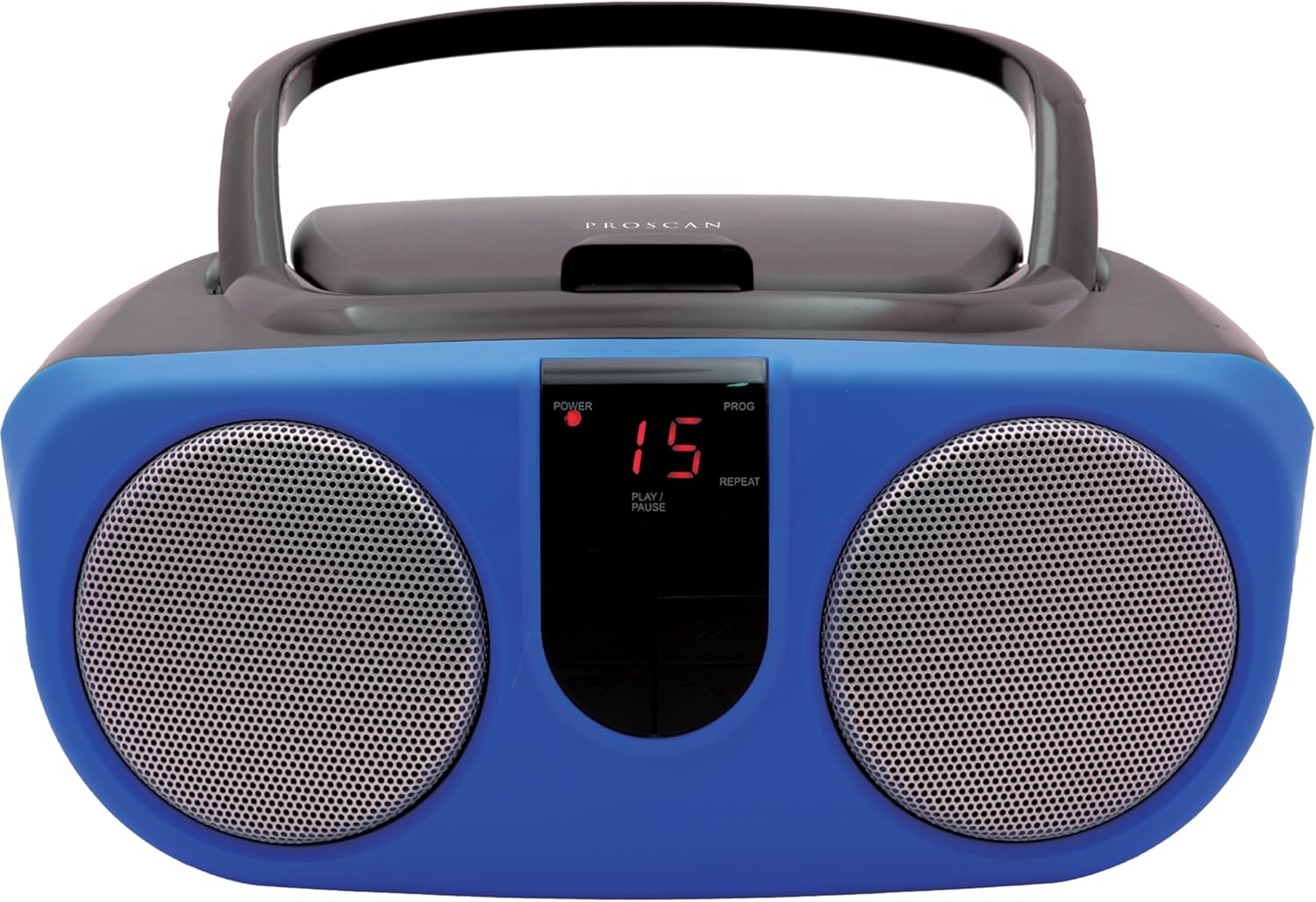
Description: Front view of the PROSCAN SRCD243 Portable CD Player with AM/FM Radio Boombox in blue, showcasing its dual speakers and central control panel.
ماذا يوجد في الصندوق
- Sylvania SRCD243 Portable CD Player with AM/FM Radio, Boombox (Blue)
يثبت
تشغيل الوحدة
The SRCD243 can be powered in two ways:
- طاقة التيار المتردد: Connect the included AC adapter to the AC IN jack on the back of the unit and plug it into a standard 120V/60Hz wall outlet.
- طاقة البطارية: For portable use, insert 8 'C' (UM-2) size batteries into the battery compartment located on the bottom of the unit. Ensure correct polarity.
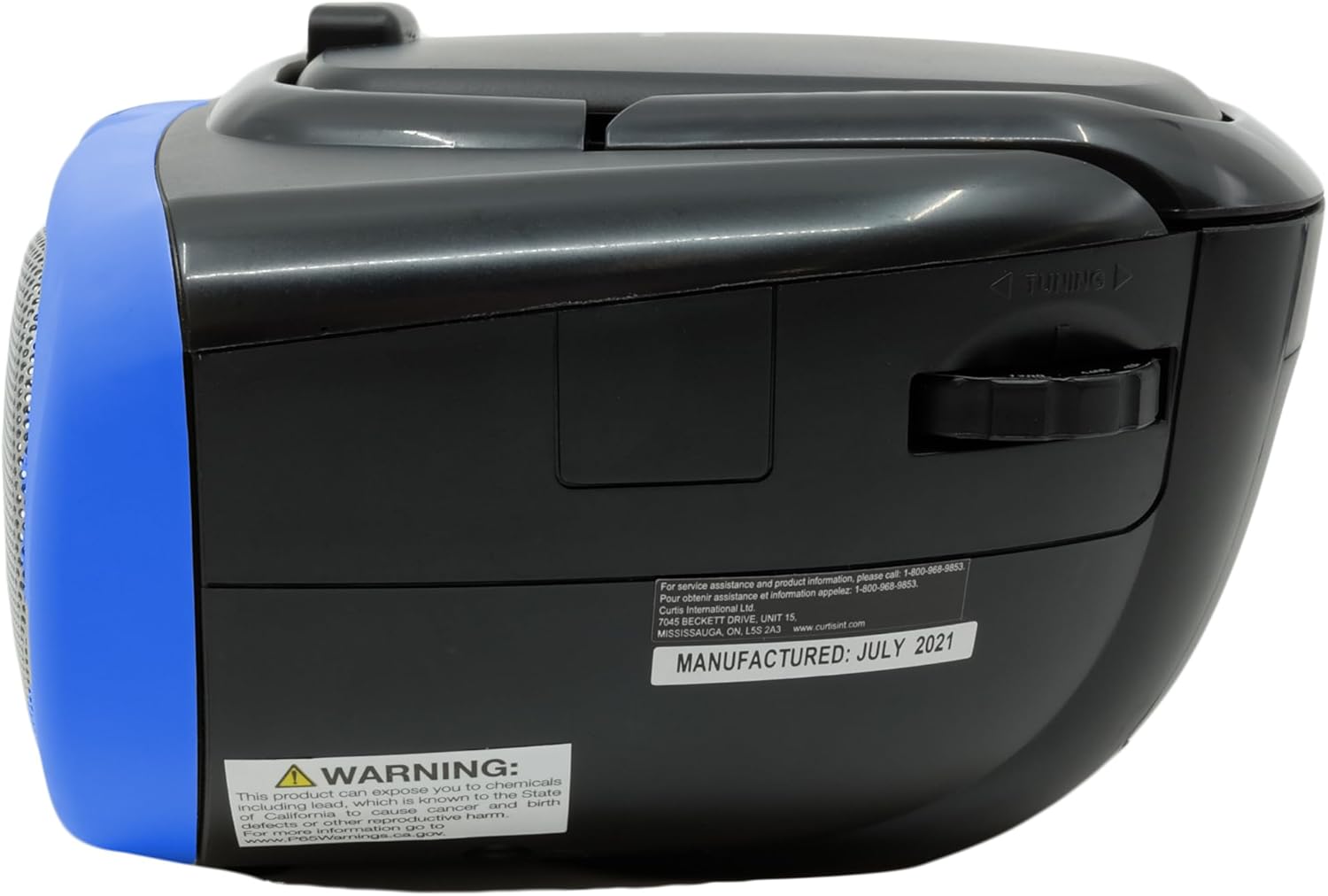
Description: This image displays the rear of the boombox, highlighting the AC power input and the battery compartment area. It also shows the product's manufacturing details and a Proposition 65 warning.
تعليمات التشغيل
تشغيل القرص المضغوط
لتشغيل قرص مضغوط:
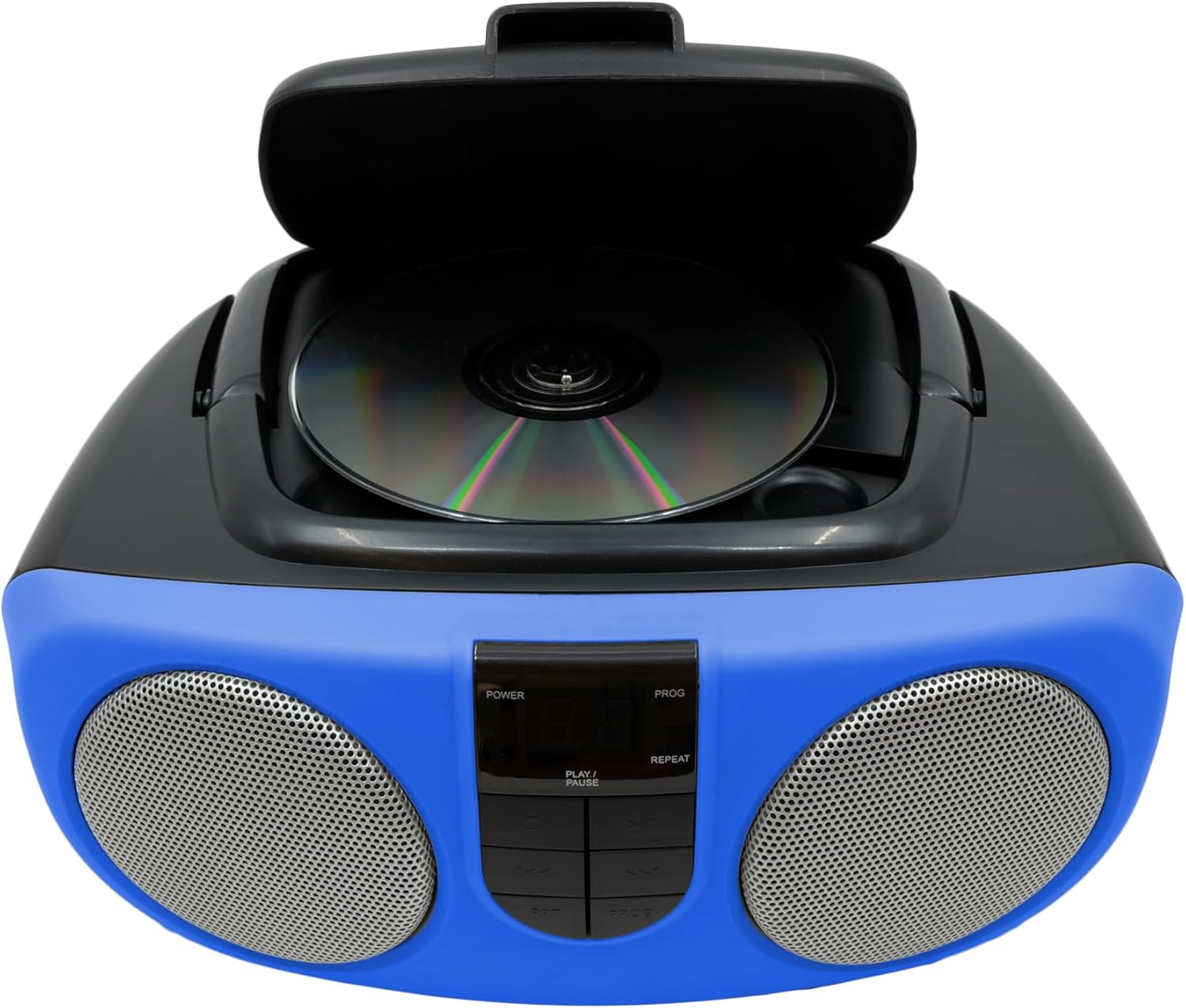
- ارفع غطاء حجرة الأقراص المدمجة الموجودة أعلى الوحدة.
- Place a CD or CD-R disc onto the spindle, label side up.
- أغلق غطاء حجرة الأقراص المضغوطة جيدًا.
- Slide the FUNCTION switch (located on the side) to the "CD" position.
- اضغط على زر PLAY / PAUSE لبدء التشغيل.
- Use the SKIP/SEARCH buttons to navigate between tracks or fast-forward/rewind within a track.
- اضغط على زر الإيقاف لإيقاف التشغيل.
- The unit features a 20-track programmable memory and Repeat 1/All functions.

Description: This image shows the top of the boombox with the CD lid open, illustrating how to insert a compact disc for playback. The central control panel is also visible.
راديو AM/FM
للاستماع إلى الراديو:
- Slide the FUNCTION switch (located on the side) to the "RADIO" position.
- Extend the telescopic antenna for optimal FM reception.
- Use the TUNING dial (located on the side) to select your desired AM or FM station.
Description: This image provides a side view of the boombox, clearly showing the manual tuning dial used for selecting AM/FM radio frequencies.
مدخل مساعد
The Aux In jack allows you to connect external audio devices (e.g., MP3 players, smartphones) to play music through the boombox speakers.
- Connect one end of a 3.5mm audio cable (not included) to the Aux In jack on the side of the boombox.
- قم بتوصيل الطرف الآخر من الكابل بمقبس سماعة الرأس أو مخرج الصوت الخاص بجهازك الخارجي.
- Slide the FUNCTION switch to the "AUX IN" position (if available, otherwise ensure it's not on CD or Radio).
- Adjust the volume using the VOLUME control on the boombox and your external device.

Description: This image displays the side of the boombox, featuring the auxiliary input jack and the function switch for selecting different audio sources.
ضوابط أكثرview
The front panel features an LED display and various control buttons:
- قوة: يقوم بتشغيل / إيقاف الوحدة.
- قف: يوقف تشغيل القرص المضغوط.
- برنامج (PROG): يُستخدم لبرمجة مسارات الأقراص المدمجة.
- تشغيل/إيقاف مؤقت: يبدأ أو يوقف تشغيل القرص المضغوط.
- SKIP/SEARCH (<< / >>): يتخطى المسارات أو يقدمها بسرعة/يرجعها للخلف.
- REP (كرر): يكرر المسار الحالي أو جميع المسارات.
- VOLUME (Side Dial): يضبط مستوى الصوت الإجمالي.
- FUNCTION (Side Switch): Selects between CD, OFF, and RADIO modes.

Description: This image provides a detailed front view of the boombox, highlighting the central control panel with its buttons for playback, programming, and the LED display.
صيانة
تنظيف
امسح الوحدة بقطعة قماش ناعمة ، دamp cloth. Do not use abrasive cleaners or solvents. For the CD lens, use a specialized CD lens cleaner.
تخزين
If storing the unit for an extended period, remove batteries to prevent leakage and damage.
استكشاف الأخطاء وإصلاحها
| مشكلة | السبب المحتمل | حل |
|---|---|---|
| لا يوجد طاقة | AC adapter not connected or batteries depleted/incorrectly inserted. | Check AC connection or replace/reinsert batteries. |
| القرص المضغوط لا يتم تشغيله أو تخطيه | CD is dirty, scratched, or inserted incorrectly. Unit is on an unstable surface. | Clean CD, reinsert correctly. Place unit on a stable, flat surface. |
| استقبال الراديو ضعيف | Antenna not extended or unit is in an area with weak signal. | Extend and adjust the telescopic antenna. Try relocating the unit. |
| لا يوجد صوت | Volume too low or incorrect function selected. | Increase volume. Ensure FUNCTION switch is set to CD, RADIO, or AUX IN as desired. |
تحديد
| ميزة | التفاصيل |
|---|---|
| ماركة | بروسكان |
| رقم الموديل | SRCD243M-BLUE |
| أبعاد المنتج | 10 × 9 × 5.7 بوصة |
| وزن العنصر | 2.64 رطل |
| مصدر الطاقة | AC 120V/60Hz or 8 x 'C' (UM-2) batteries |
| التوافق مع القرص المضغوط | قرص مضغوط، قرص مضغوط قابل للتسجيل |
| نطاقات الراديو | ص/فم |
| الاتصال | مدخل إضافي (3.5 مم) |
معلومات هامة حول السلامة
يحتوي هذا المنتج على مواد كيميائية معروفة في ولاية كاليفورنيا بأنها تسبب السرطان والعيوب الخلقية أو غيرها من الأضرار التناسلية. للمزيد من المعلومات قم بزيارة www.P65Warnings.ca.gov.