
1. المقدمة
شكرا لك على الشراءasing the Winners Sonic Beauty Plus Electric Toothbrush, model SBT-1P. This sonic toothbrush is designed to provide an effective and comfortable brushing experience with approximately 30,000 vibrations per minute. It features two brushing modes and a built-in timer to help you maintain optimal oral hygiene. Please read this manual thoroughly before use to ensure proper operation and care.
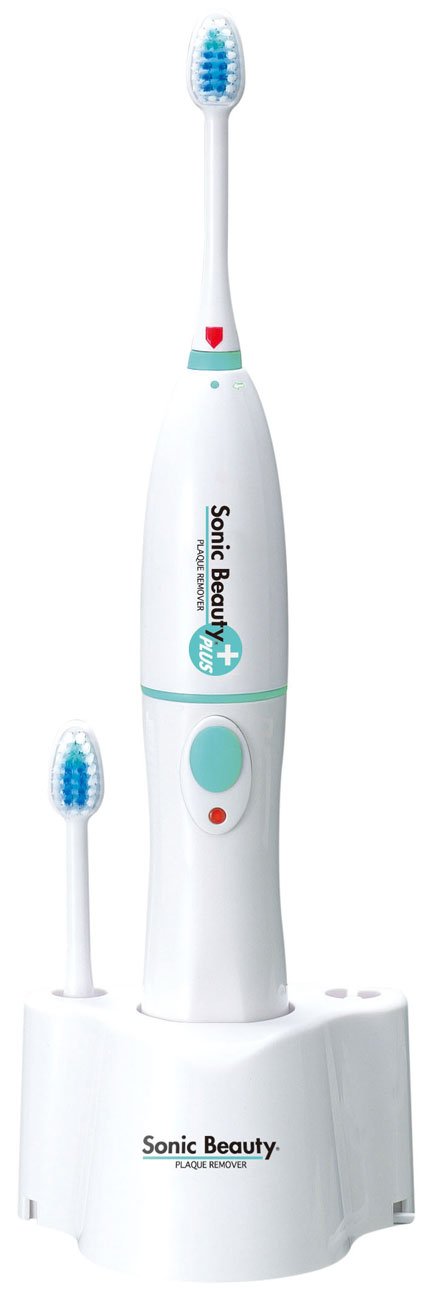
Image 1.1: The Winners Sonic Beauty Plus Electric Toothbrush SBT-1P. This image shows the complete electric toothbrush unit, including the handle and an attached brush head, against a plain background.
2. معلومات السلامة
يرجى مراعاة احتياطات السلامة التالية لمنع الإصابة أو إتلاف المنتج:
- Do not immerse the main unit (power handle) in water. هذا المنتج هو غير مقاوم للماء. Clean the handle with a damp القماش فقط.
- أبقِ قاعدة الشحن بعيدة عن الماء والرطوبة.
- Do not disassemble, repair, or modify the product. Contact customer support for service.
- يحفظ بعيداً عن متناول الأطفال. هذا الجهاز غير مخصص للاستخدام من قبل الأشخاص ذوي القدرات البدنية أو الحسية أو العقلية المحدودة، أو الذين يفتقرون إلى الخبرة والمعرفة، إلا إذا تلقوا إشرافاً أو تعليمات بشأن استخدام الجهاز من قبل شخص مسؤول عن سلامتهم.
- Use only the provided charging base and power adapter.
- في حالة تلف المنتج، يجب التوقف عن استخدامه على الفور.
3. محتويات العبوة
تأكد من وجود جميع العناصر في العبوة:
- Sonic Beauty Plus Power Handle (Main Unit)
- Brush Head (1 pc)
- قاعدة الشحن
- دليل المستخدم (هذا المستند)
4. الإعداد
4.1 الشحن الأولي
- Connect the charging base to an AC100V (50/60Hz) power outlet.
- Place the power handle onto the charging base. Ensure it is seated correctly. The charging indicator light (if present) should illuminate.
- For first-time use, charge the toothbrush for approximately 24 hours to ensure a full battery. A full charge provides approximately 40 minutes of continuous use (under no load).
4.2 تركيب رأس الفرشاة
- Align the brush head with the shaft on the power handle.
- اضغط على رأس الفرشاة لأسفل بقوة حتى تسمع صوت طقطقة. تأكد من تثبيتها بإحكام.

الصورة 4.1: عن قرب view of the brush head. This image highlights the bristles and the attachment point of the brush head, demonstrating its design for effective cleaning.
5. تعليمات التشغيل
5.1 تنظيف الأسنان بالفرشاة
- بللي رأس الفرشاة وضعي كمية صغيرة من معجون الأسنان.
- ضع رأس الفرشاة على أسنانك بزاوية بسيطة باتجاه خط اللثة.
- اضغط على زر الطاقة لتشغيل فرشاة الأسنان.
- اختيار الوضع: Press the power button repeatedly to cycle through the available modes: Normal Mode (standard vibration) and Soft Mode (reduced vibration, ideal for sensitive teeth or gums, or new users).
- Gently guide the brush head slowly from tooth to tooth. Allow the sonic vibrations to do the cleaning. Do not scrub vigorously.
- The toothbrush is equipped with a 2-minute timer that automatically stops the device after 2 minutes of continuous use, indicating the recommended brushing time.
- After brushing, press the power button to turn off the toothbrush.

الصورة 5.1: الجانب view of the brush head. This perspective shows the profile of the bristles, which are designed to reach various surfaces of the teeth and gums.
6. الصيانة
6.1 تنظيف فرشاة الأسنان
- بعد كل استخدام، اشطف رأس الفرشاة جيدًا تحت الماء الجاري.
- Remove the brush head from the power handle and rinse both parts separately.
- امسح مقبض الطاقة بالإعلانamp قطعة قماش. Do not rinse the power handle directly under water or immerse it.
- Wipe the charging base with a dry cloth.
- Allow all parts to air dry before reassembling or placing on the charging base.
6.2 استبدال رأس الفرشاة
Dentists recommend replacing your toothbrush head every 3 months, or sooner if the bristles become frayed. Replacement brush heads are sold separately.
- Grip the power handle firmly and pull the old brush head straight off.
- Align the new brush head with the shaft and push it down firmly until it clicks into place.
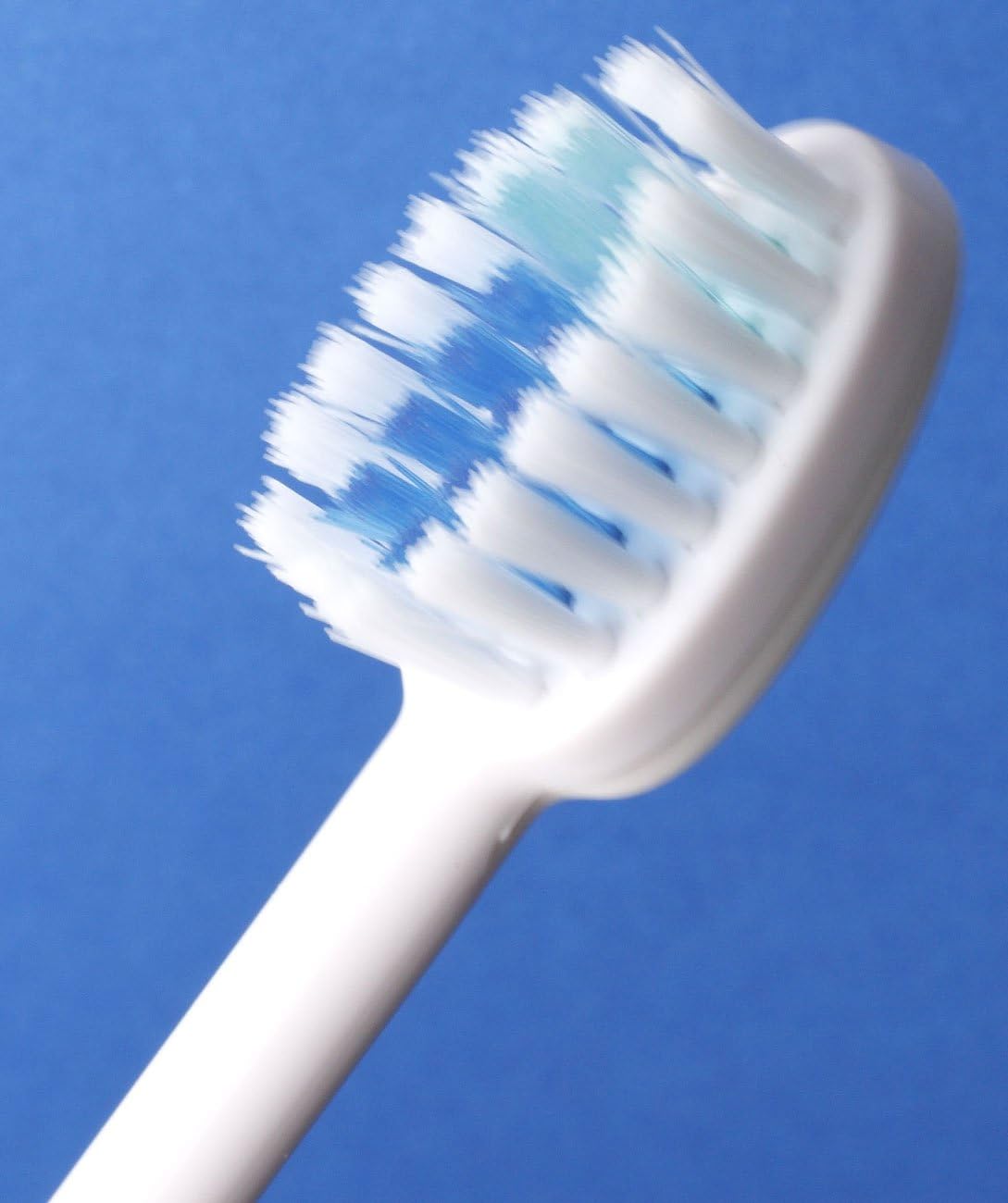
الصورة 6.1: بزاوية view of the brush head. This image provides another perspective of the brush head's design, useful for understanding how to attach and detach it.
7. استكشاف الأخطاء وإصلاحها
If you encounter any issues with your Sonic Beauty Plus Electric Toothbrush, please refer to the following table:
| مشكلة | السبب المحتمل | حل |
|---|---|---|
| فرشاة الأسنان لا تعمل. | نفدت طاقة البطارية. | Place the toothbrush on the charging base and charge for 24 hours. |
| فرشاة الأسنان لا تهتز بقوة. | بطارية منخفضة. | أعد شحن فرشاة الأسنان. |
| رأس الفرشاة يبدو مرتخياً. | رأس الفرشاة غير مثبت بشكل صحيح. | Remove and reattach the brush head, ensuring it clicks into place. |
| مؤشر الشحن لا يضيء. | Charging base not connected to power, or toothbrush not seated correctly. | Check power connection and ensure the toothbrush is properly placed on the base. |
إذا استمرت المشكلة بعد تجربة هذه الحلول، فيرجى الاتصال بدعم العملاء.
8. المواصفات
| ميزة | مواصفة |
|---|---|
| رقم الموديل | SBT-1P |
| حجم الجسم | 97 × 79 × 290 ملم |
| Body Weight (Set) | 330 جرام |
| Body Weight (Power Handle) | 185 جرام |
| مادة | راتينج ABS |
| قوة الشحن | AC100V (50/60Hz) |
| بطارية | 3.6V 650mAH (Ni-MH battery) |
| طريقة الشحن | Inductive charging (constant charging) |
| وقت الاستخدام المستمر | Approx. 40 minutes (after 24-hour charge / no load) |
| تردد الاهتزاز | Approx. 30,000 times/minute (no load) |
| لون | أبيض |
| المميزات الخاصة | 2-minute Automatic Timer, 2 Brushing Modes (Normal, Soft) |
| مستوى مقاومة الماء | غير مقاوم للماء |
9. الضمان والدعم
This product comes with a standard manufacturer's warranty. Please refer to the warranty card included in your package for specific terms and conditions. For technical support, replacement parts, or any inquiries not covered in this manual, please contact Winners customer service through their official webالموقع أو بائع التجزئة الذي اشتريت منه المنتج.