
مقدمة
This manual provides essential information for the safe and efficient operation, setup, and maintenance of your HSM 390.3 HS BDL (L6) cross-cut shredder. Please read these instructions carefully before using the device and retain them for future reference.
The HSM 390.3 HS BDL (L6) is designed for shredding paper, CDs, and credit cards, providing high-security cross-cut destruction for sensitive documents and media.
تعليمات السلامة
WARNING: Failure to follow these safety instructions may result in injury or damage to the shredder.
- Keep hands, loose clothing, jewelry, and long hair away from the paper entry slot.
- Do not insert metal objects such as paper clips, staples, or binders into the paper entry slot, unless explicitly stated by the manufacturer for specific models. This model is designed for paper, CDs, and credit cards.
- Unplug the shredder from the power outlet before moving, cleaning, or performing any maintenance.
- Do not allow children or pets near the shredder during operation.
- Operate the shredder only on a stable, level surface.
- Do not operate the shredder if the power cord is damaged or if the machine is malfunctioning.
- Ensure the waste bin is properly inserted before operation.
- Avoid overloading the shredder beyond its specified sheet capacity (12 sheets per pass for paper).
يثبت
- فك التعبئة: أخرج آلة التقطيع من عبوتها بحرص. احتفظ بمواد التغليف لاستخدامها في النقل أو التخزين مستقبلاً.
- الموقع: Position the shredder on a stable, level surface near a grounded electrical outlet. Ensure adequate ventilation around the unit.
- تركيب حاويات النفايات: Ensure the 39-gallon waste bin is correctly seated within the shredder cabinet. The shredder will not operate if the bin is not properly closed or full.
- توصيل الطاقة: قم بتوصيل سلك الطاقة بمأخذ كهربائي قياسي.
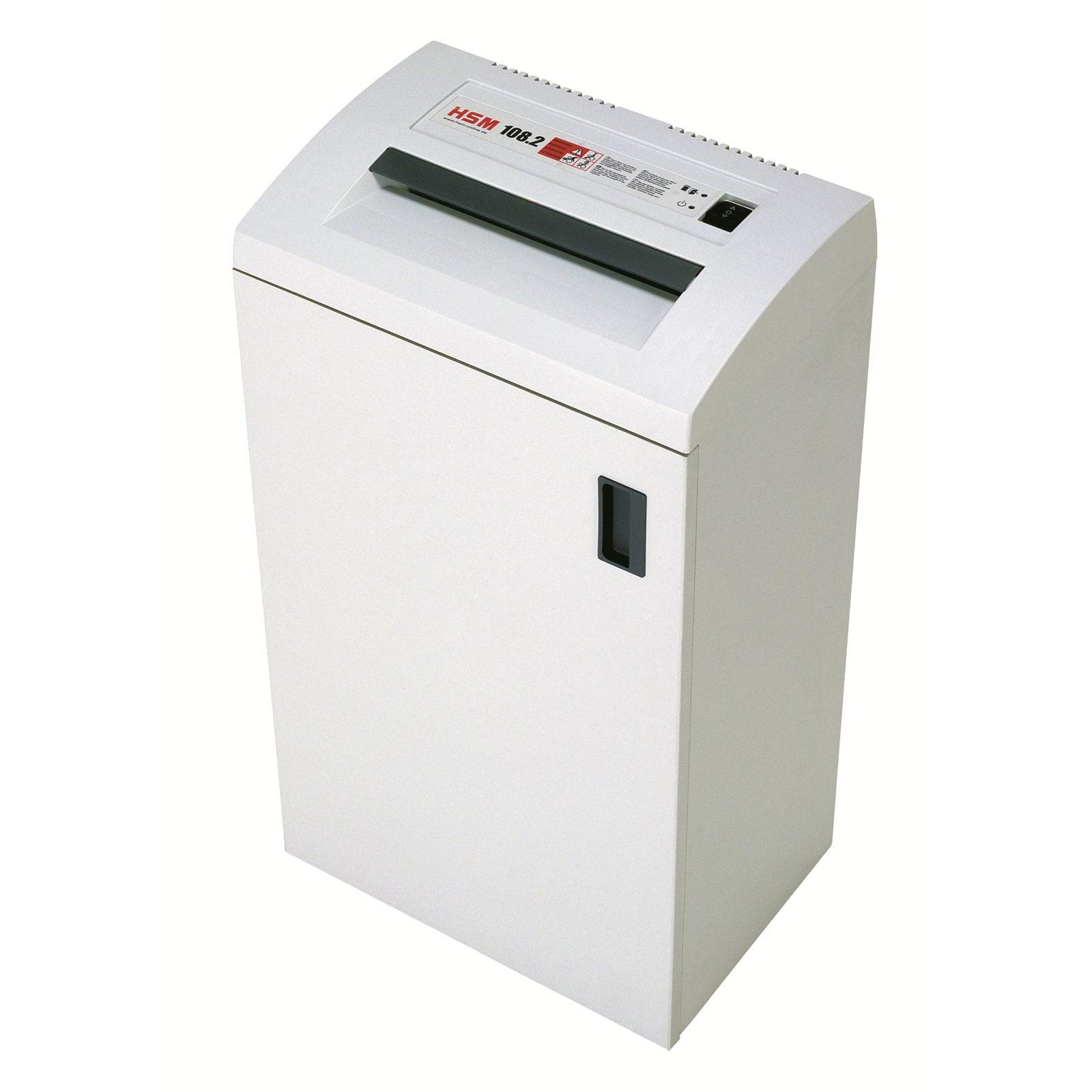
Figure 1: A typical HSM cross-cut shredder, similar to the HSM 390.3 HS BDL (L6) model. This image shows the main unit with the paper entry slot and control panel visible on top, and a handle on the side for accessing the waste bin.
تعليمات التشغيل
تشغيل/إيقاف التشغيل
- To turn on the shredder, locate the main power switch (usually on the back or side) and set it to the "ON" position.
- The shredder typically has a standby mode. To activate shredding, ensure the control panel is set to "AUTO".
- To turn off the shredder, set the main power switch to the "OFF" position.
تمزيق الورق
- Ensure the shredder is powered on and in "AUTO" mode.
- Insert up to 12 sheets of paper (80 gsm) straight into the paper entry slot. The automatic start/stop feature will detect the paper and begin shredding.
- Once the paper has passed through, the shredder will automatically stop.
- Avoid feeding crumpled or folded paper, as this can reduce capacity and increase the risk of jams.
Shredding CDs and Credit Cards
- Locate the dedicated slot for CDs/credit cards (if separate from the paper slot).
- Insert one CD or credit card at a time into the designated slot. The shredder will automatically engage and destroy the media.
- Do not attempt to shred multiple CDs or credit cards simultaneously.
Automatic Start/Stop and Overload Protection
- The shredder features an automatic start/stop function, activating when paper is detected and stopping when shredding is complete.
- If too much paper is inserted, the overload protection system will activate, and the shredder may stop or reverse to prevent damage. Reduce the amount of paper and try again.

الشكل 2: الصورة عن قرب view of the control panel on an HSM shredder. This panel typically includes indicators for power, waste bin full, and overload, along with buttons for auto, reverse, and forward operation.
صيانة
تفريغ سلة المهملات
- When the waste bin is full, the shredder will typically indicate this and cease operation.
- افصل آلة التقطيع عن مأخذ الطاقة.
- Carefully pull out the waste bin. Dispose of the shredded material.
- أعد إدخال سلة المهملات بإحكام حتى تسمع صوت طقطقة عند تثبيتها في مكانها.
تزييت آلة التقطيع
Regular oiling is crucial for maintaining the shredder's performance and extending its lifespan, especially for cross-cut models. Use only shredder oil specifically designed for paper shredders.
- With the shredder in "AUTO" mode, apply a thin, continuous line of shredder oil across the entire paper entry slot.
- Feed a few sheets of paper through the shredder to distribute the oil evenly across the cutting cylinders.
- Repeat this process after every 30 minutes of continuous shredding or at least once a week for moderate use.
تنظيف الجزء الخارجي
- افصل آلة التقطيع عن الكهرباء قبل التنظيف.
- امسحي الأسطح الخارجية بقطعة ناعمة ، دamp القماش. لا تستخدم المنظفات أو المذيبات الكاشطة.
- Ensure no liquids enter the shredder mechanism.
استكشاف الأخطاء وإصلاحها
| مشكلة | السبب المحتمل | حل |
|---|---|---|
| لا تعمل آلة التقطيع. |
|
|
| انحشار الورق. |
|
|
| تعمل آلة التقطيع باستمرار. |
|
|
تحديد
| رقم الموديل | اتش اس ام 16604 |
| ماركة | إتش إس إم |
| نوع القطع | الصليب قص |
| Sheet Capacity (Paper) | Up to 12 sheets (80 gsm) |
| Waste Capacity | 39 جالون |
| أشلاء | Paper, CDs, Credit Cards |
| المميزات الخاصة | Cross-Cut, Automatic Start-Stop |
| وزن العنصر | 141 رطل |
| أبعاد المنتج | 1 x 1 x 1 inches (Note: These dimensions appear to be placeholder values and may not reflect the actual size of a 141lb shredder.) |
الضمان والدعم
للحصول على معلومات الضمان أو الدعم الفني أو الاستفسارات المتعلقة بالخدمة، يرجى الرجوع إلى دليل سلامة الأجهزة الرسمي. website or contact your authorized HSM dealer. Keep your purchase receipt as proof of purchase for warranty claims.
يمكنك عادةً العثور على معلومات الاتصال وشروط الضمان التفصيلية على الموقع الرسمي للشركة المصنعة. webموقع: www.hsm.eu