
1. المقدمة
This manual provides essential information for the safe and efficient operation of your Sharp AQUOS LC-52E77U LCD HDTV. Please read these instructions thoroughly before using the television and retain them for future reference.
The Sharp AQUOS LC-52E77U features a 52-inch Full HD 1080p display with 120Hz Fine Motion Enhanced technology for smooth motion. It incorporates a 10-Bit AVS Superlucent LCD Panel and Spectral Contrast Engine XD to deliver deep black levels and vibrant, accurate colors. This model includes built-in ATSC/QAM/NTSC tuners and a variety of connectivity options to integrate with your home entertainment system.
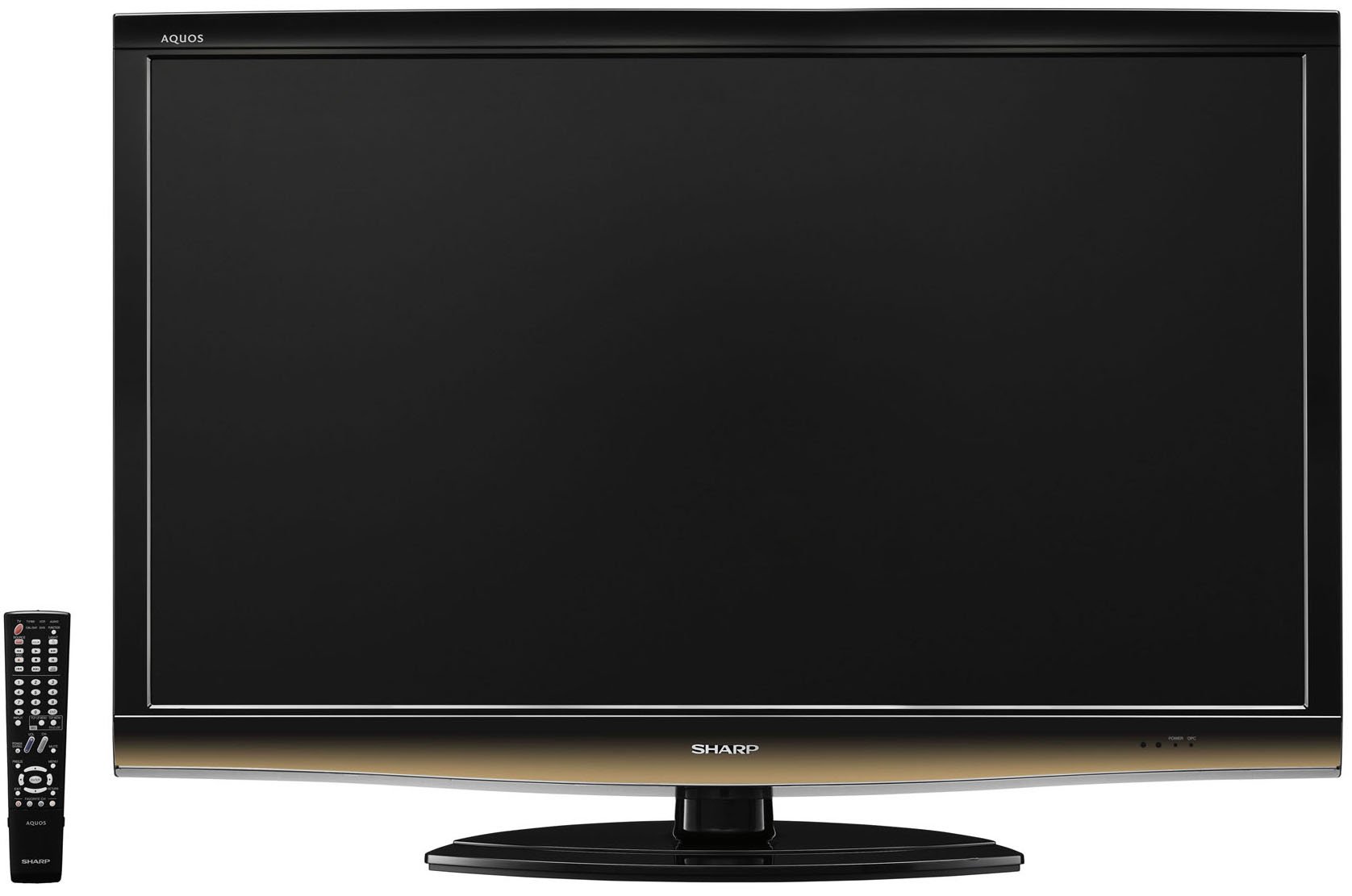
أمام view of the Sharp LC-52E77U AQUOS LCD HDTV, showcasing its slim bezel and screen.
2. معلومات السلامة
Always follow basic safety precautions when using this television to reduce the risk of fire, electric shock, and injury to persons.
- لا تسد فتحات التهوية. تأكد من وجود مساحة كافية حول التلفزيون لضمان تدفق الهواء بشكل صحيح.
- لا تضع التلفزيون على عربة أو حامل أو حامل ثلاثي القوائم أو دعامة أو طاولة غير مستقرة.
- احمِ سلك الطاقة من أن يدوس عليه أحد أو يضغط عليه، وخاصةً عند المقابس ومنافذ التوصيل الكهربائية ونقطة خروجها من الجهاز.
- افصل هذا الجهاز أثناء العواصف الرعدية أو عند عدم استخدامه لفترات طويلة من الزمن.
- أحل جميع أعمال الصيانة إلى موظفي الصيانة المؤهلين. يلزم إجراء الصيانة عند تعرض الجهاز للتلف بأي شكل من الأشكال، مثل تلف سلك مصدر الطاقة أو القابس، أو انسكاب السوائل أو سقوط الأشياء داخل الجهاز، أو تعرض الجهاز للمطر أو الرطوبة، أو عدم تشغيله بشكل طبيعي، أو سقوطه.
3. محتويات العبوة
تأكد من وجود جميع العناصر في العبوة:
- Sharp AQUOS LC-52E77U LCD HDTV
- جهاز التحكم عن بعد بالبطاريات
- Detachable Table Stand
- سلك الطاقة
- دليل المستخدم (هذا المستند)
- بطاقة الضمان (إن وجدت)
4. الإعداد
4.1 التثبيت المادي
Your television can be installed on its included table stand or mounted on a wall using a compatible VESA wall mount (sold separately).
Table Stand Installation:
- Carefully place the television screen-down on a soft, flat surface to prevent damage.
- Attach the stand base to the television using the provided screws. Ensure all screws are tightened securely.
- The table stand features swivel capability for adjusting the viewزاوية جي.
التثبيت على الحائط:
If wall-mounting, remove the table stand. Consult the instructions provided with your wall mount bracket for proper installation. Ensure the wall mount is rated for the weight and size of this television (approximately 59.5 pounds).
4.2 توصيل الأجهزة
The LC-52E77U offers various input terminals for connecting external devices.
- مداخل HDMI (x5): Connect Blu-ray players, game consoles, cable/satellite boxes, and other HDMI-compatible devices. These inputs are compatible with 1080p signals.
- Component Video Inputs (x2): Connect devices using component video cables (YPbPr) for high-definition signals up to 1080p.
- إدخال الكمبيوتر: Connect a computer to use the television as a monitor.
- مدخل RS-232C: For advanced control systems.
- مدخل الهوائي/الكابل: Connect an antenna or cable TV feed for accessing built-in tuners.
Ensure all cables are securely connected to the correct ports on both the television and your external devices.
4.3 التشغيل المبدئي
- Plug the power cord into the television and then into a wall outlet.
- Press the Power button on the television or the remote control.
- Follow the on-screen prompts for initial setup, including language selection, channel scanning (for antenna/cable), and time zone settings.
5. تعليمات التشغيل
5.1 الضوابط الأساسية
- قوة: يقوم بتشغيل أو إيقاف تشغيل التليفزيون.
- الحجم (+/-): يضبط مستوى الصوت.
- القناة (أعلى/أسفل): Changes the television channel when using the built-in tuners.
- الإدخال / المصدر: Cycles through available input sources (HDMI 1, Component 1, PC, etc.).
- قائمة طعام: يتيح الوصول إلى قائمة العرض على الشاشة (OSD) لضبط الإعدادات.
5.2 إعدادات الصورة
Access the Picture menu to customize your viewتجربة المستخدم. تشمل الميزات الرئيسية ما يلي:
- وضع الصورة: Select from preset modes (e.g., Standard, Movie, Game) or customize your own.
- مقابلة: Adjusts the difference between light and dark areas of the picture. The Spectral Contrast Engine XD enhances deep black levels.
- سطوع: يتحكم في الإضاءة العامة للشاشة.
- Color/Saturation: ضبط شدة الألوان.
- لون: Adjusts the green-to-red balance (primarily for NTSC signals).
- حدة: Enhances or softens the edges of objects in the picture.
- 120Hz Fine Motion Enhanced: This feature processes fast-moving images to reduce motion blur, providing a smoother viewing experience. It can be adjusted or disabled in the picture settings.
- OPC (Optical Picture Control): This feature senses ambient room light and automatically adjusts the screen brightness. While designed for power saving and backlight longevity, some users may prefer to disable it for consistent brightness.
For optimal picture quality, consider calibrating your television using a calibration disc or professional service.
5.3 إعدادات الصوت
The LC-52E77U features built-in speakers. Access the Audio menu to adjust settings such as:
- وضع الصوت: Select from preset audio modes (e.g., Standard, Music, Movie).
- باس / ثلاثي: Adjust low and high-frequency audio levels.
- توازن: Adjust the volume balance between left and right speakers.
- الصوت المحيط: تمكين أو تعطيل تأثيرات الصوت المحيطي الافتراضي.
For enhanced audio, connect the television to an external audio system (e.g., soundbar, AV receiver) via the available audio output ports.
5.4 اختيار المدخلات
To switch between connected devices, press the 'Input' or 'Source' button on your remote control. A list of available inputs will appear on the screen. Navigate using the arrow keys and press 'Enter' or 'OK' to select the desired input.
5.5 تشغيل الموالف
The television includes built-in ATSC (digital terrestrial), QAM (digital cable), and NTSC (analog terrestrial) tuners. After connecting an antenna or cable feed and performing a channel scan during initial setup, you can use the Channel Up/Down buttons to browse available channels.
6. الصيانة
6.1 تنظيف الشاشة
لتنظيف الشاشة، امسحها برفق بقطعة قماش ناعمة وخالية من الوبر. أما بالنسبة للبقع الصعبة، فامسحها برفق بقطعة قماش ناعمة وخالية من الوبر.ampاغسل قطعة القماش بالماء أو بمنظف شاشات متخصص. لا ترش المنظف مباشرةً على الشاشة.
6.2 تنظيف الخزانة
Wipe the television cabinet with a soft, dry cloth. Do not use abrasive cleaners, waxes, or solvents as they may damage the finish.
6.3 العناية العامة
- Avoid exposing the television to direct sunlight or extreme temperatures.
- لا تضع أشياء ثقيلة فوق التلفزيون.
- Keep the television away from sources of strong magnetic fields.
7. استكشاف الأخطاء وإصلاحها
If you experience issues with your television, refer to the following common troubleshooting steps before contacting customer support.
| مشكلة | السبب المحتمل / الحل |
|---|---|
| لا يوجد طاقة | Ensure the power cord is securely plugged into the TV and a working electrical outlet. Check if the outlet has power. |
| لا توجد صورة، ولكن الصوت موجود | تأكد من اختيار مصدر الإدخال الصحيح. تحقق من توصيلات الكابلات بالأجهزة الخارجية. |
| لا يوجد صوت ولكن الصورة موجودة | Check the volume level and ensure the TV is not muted. If using external speakers, check their connections and power. |
| جهاز التحكم عن بعد لا يعمل | استبدل بطاريات جهاز التحكم عن بُعد. تأكد من عدم وجود أي عوائق بين جهاز التحكم عن بُعد ومستشعر الأشعة تحت الحمراء الخاص بالتلفزيون. |
| الصورة مشوهة أو غير واضحة | Check cable connections for looseness or damage. Adjust picture settings (e.g., sharpness, picture mode). If using an antenna, check its position and signal strength. |
8. المواصفات
- نموذج: LC-52E77U
- حجم الشاشة: 52 بوصات (قطريًا)
- تكنولوجيا العرض: LCD (10-Bit AVS Superlucent LCD Panel)
- دقة: 1920 × 1080 (دقة عالية كاملة 1080 بكسل)
- معدل التحديث: 120 Hz (with Fine Motion Enhanced)
- وقت الاستجابة: 4 مللي ثانية
- Viewزوايا جي: 176 درجة ارتفاع × 176 درجة فولت
- مقابلة: Spectral Contrast Engine XD
- الموالفات: Built-in ATSC / QAM / NTSC
- الاتصال:
- HDMI Inputs: 5 (compatible with 1080p signals)
- Component Video Inputs: 2 (HD 1080p compatible)
- PC Input: 1
- مدخل RS-232C: 1
- نوع السماعة: Built-In, bottom-mounted
- وزن السلعة: Approximately 59.5 Pounds (without stand)
- أبعاد المنتج (العرض × الارتفاع × العمق): الأبعاد التقريبية: 49.38 × 33.94 × 12.78 بوصات (مع الحامل)
- كفاءة الطاقة: نجمة الطاقة متوافقة
9. الضمان والدعم
This product typically comes with a 15-month warranty from the date of purchase. For specific warranty terms and conditions, please refer to the warranty card included with your product or visit the official Sharp webموقع.
As part of the AQUOS Advantage Program, Sharp provides customer support for its AQUOS televisions. If you require technical assistance, service, or have questions regarding your LC-52E77U, please contact Sharp customer support through their official channels.
للحصول على مزيد من المعلومات والدعم، يمكنك زيارة الموقع الإلكتروني التالي: متجر Sharp على أمازون أو شركة شارب الرسمية webموقع.