
1. المقدمة
This manual provides essential information for the safe and efficient operation of your Sharp Aquos LC42D64U 42-Inch 1080p LCD HDTV. Please read these instructions thoroughly before using your television and retain them for future reference. The Sharp Aquos D64 series offers a slim design, Full HD 1080p resolution, and advanced features for an enhanced viewتجربة رائعة.
2. معلومات هامة حول السلامة
اتبع دائمًا احتياطات السلامة الأساسية عند استخدام هذا التلفزيون لتقليل خطر الحريق والصدمة الكهربائية والإصابة.
- مصدر الطاقة: قم بتوصيل التلفزيون فقط بمصدر الطاقة الموضح على الملصق.
- تهوية: تأكد من التهوية الجيدة. لا تسد فتحات التهوية.
- الماء والرطوبة: لا تُعرِّض التلفزيون للمطر أو الرطوبة. لا تضع أي أجسام مملوءة بالسوائل عليه.
- تنظيف: افصل التلفزيون عن مقبس الحائط قبل التنظيف. استخدم قطعة قماش ناعمة وجافة.
- الخدمة: لا تحاول خدمة هذا المنتج بنفسك. قم بإحالة جميع أعمال الصيانة إلى أفراد الخدمة المؤهلين.
- التركيب: If wall-mounting, ensure the mount is compatible and installed by qualified personnel.
- أطفال: راقب الأطفال لمنعهم من التسلق على التلفاز أو اللعب به.
3. ماذا يوجد في الصندوق
تأكد من وجود جميع المكونات قبل المتابعة في عملية الإعداد.
- Sharp Aquos LC42D64U 42-Inch LCD HDTV
- جهاز التحكم عن بعد
- حامل الطاولة
- سلك الطاقة
- دليل المستخدم (هذا المستند)
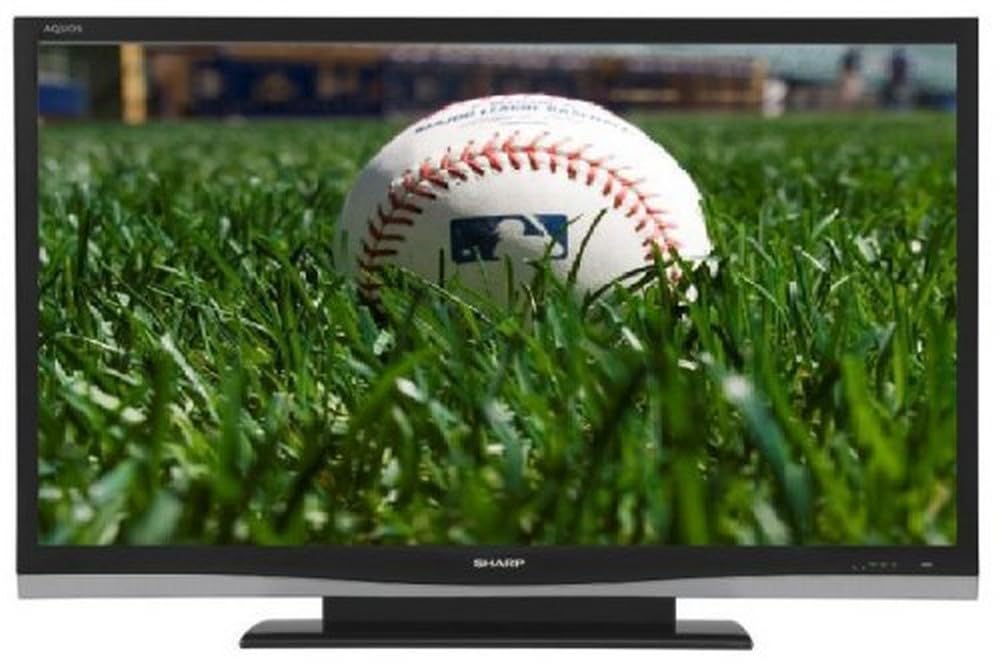
الصورة: الجبهة view of the Sharp Aquos LC42D64U 42-Inch LCD HDTV with its included table stand.
4. الإعداد
4.1 تركيب حامل الطاولة
If you are not wall-mounting the television, attach the included table stand. Refer to the separate assembly guide for detailed instructions on securing the stand to the TV. Ensure all screws are tightened securely.
4.2 توصيل الأجهزة الخارجية
Connect your external devices (e.g., cable box, Blu-ray player, game console) to the appropriate input terminals on the rear or side of the TV.
- HDMI: For high-definition digital video and audio. The TV features three HDMI 1.3 inputs (two rear, one side).
- Component Video (Y, Pb, Pr): For high-definition analog video. Two inputs are available.
- Composite Video (A/V): For standard-definition analog video and audio. One side and one rear input.
- S- فيديو: For standard-definition video. One side and one rear input.
- PC Input (D-Sub 15-pin): قم بتوصيل جهاز كمبيوتر لاستخدامه كشاشة عرض.
- RF Antenna Inputs: Two inputs for connecting an antenna or cable TV.
- منفذ إيثرنت: For network connectivity (DLNA).
4.3 توصيل الطاقة
After connecting all desired devices, plug the power cord into the TV's power inlet and then into a wall outlet. The TV will enter standby mode.
5. تعليمات التشغيل
5.1 التشغيل الأولي وإعداد القناة
- اضغط على قوة اضغط على الزر الموجود على جهاز التحكم عن بعد أو على التلفزيون لتشغيله.
- The first time you power on, the TV will guide you through the initial setup process, including language selection and channel scanning.
- Select your preferred language (English, Spanish, or French).
- Perform an "Easy Setup" or "Channel Setup" scan to detect available digital (ATSC, QAM) and analog (NTSC) channels.
5.2 وظائف التحكم عن بعد الأساسية
- قوة: يقوم بتشغيل التلفزيون أو إيقاف تشغيله (وضع الاستعداد).
- إدخال: Cycles through available input sources (HDMI, Component, PC, etc.).
- CH +/-: يغير القنوات.
- المجلد +/-: يضبط مستوى الصوت.
- MENU: الوصول إلى القائمة التي تظهر على الشاشة لإجراء تعديلات على الإعدادات.
- أزرار الأسهم: التنقل عبر خيارات القائمة.
- أدخل: يؤكد التحديدات.
- EXIT/RETURN: الخروج من القوائم أو العودة إلى الشاشة السابقة.
5.3 التنقل في القوائم والإعدادات
اضغط على قائمة طعام زر للوصول إلى فئات الإعدادات المختلفة:
- صورة: Adjust brightness, contrast, color, tint, sharpness, and backlight. The OPC function automatically adjusts brightness based on room conditions.
- صوتي: Control volume, bass, treble, balance, and select audio modes.
- قناة: Rescan channels, add/delete channels, and set up favorite channels.
- يثبت: General settings like language, time, sleep timer, and parental controls (V-Chip).
- الميزات المتقدمة: Access settings for DLNA, Picture-in-Picture, and AQUOS LINK.
6. الميزات المتقدمة
6.1 AQUOS LINK (HDMI-CEC)
AQUOS LINK allows convenient control of compatible Sharp devices connected via HDMI using just your AQUOS TV remote. Ensure connected devices also support HDMI-CEC (Consumer Electronics Control) and are enabled in their respective settings.
6.2 DLNA Compatibility
The TV is DLNA-compatible, enabling interoperability with other DLNA-certified electronics, computers, and mobile devices. Connect the TV to your home network via the Ethernet port to access and share digital content (photos, videos, music) from compatible devices on your network.
6.3 صورة داخل صورة (PIP)
The Picture-in-Picture function allows simultaneous viewing of a TV program and a video or PC source. Consult the on-screen menu for PIP activation and source selection.
6.4 V-Chip System
The V-Chip system allows you to block TV and movie programs based on their rating, providing parental control over objectionable content. Access V-Chip settings through the TV's setup menu.
7. الصيانة
7.1 تنظيف الشاشة
امسح الشاشة برفق بقطعة قماش ناعمة وخالية من الوبر. لإزالة البقع الصعبة، امسح برفقampامسح القماش بالماء أو بمنظف الشاشة المتخصص. لا استخدام مواد كيميائية قاسية، أو منظفات كاشطة، أو رش السوائل مباشرة على الشاشة.
7.2 تنظيف الخزانة
Wipe the TV cabinet with a soft, dry cloth. Avoid using solvents or abrasive materials.
7.3 العناية العامة
- افصل التلفاز أثناء العواصف الرعدية أو عند عدم استخدامه لفترات طويلة.
- احتفظ بالتلفزيون بعيدًا عن أشعة الشمس المباشرة ومصادر الحرارة والغبار الزائد.
- Ensure adequate space around the TV for proper ventilation.
8. استكشاف الأخطاء وإصلاحها
قبل الاتصال بدعم العملاء، جرّب الحلول التالية للمشكلات الشائعة:
| مشكلة | الحل المحتمل |
|---|---|
| لا يوجد طاقة | تأكد من توصيل سلك الطاقة بإحكام بالتلفزيون ومقبس الحائط. تأكد من وجود تيار كهربائي في المقبس. |
| لا توجد صورة، ولكن الصوت موجود | تأكد من اختيار مصدر الإدخال الصحيح. تحقق من توصيلات الكابلات بالأجهزة الخارجية. |
| لا يوجد صوت ولكن الصورة موجودة | تحقق من مستوى الصوت وإعدادات كتم الصوت. تأكد من توصيل كابلات الصوت بشكل صحيح. |
| جهاز التحكم عن بعد لا يعمل | استبدل البطاريات. تأكد من عدم وجود عوائق بين جهاز التحكم عن بُعد ومستشعر الأشعة تحت الحمراء الخاص بالتلفزيون. |
| "Hotel Mode" issue (as per customer review) | If the TV is stuck in a limited functionality mode, contact Sharp customer support for assistance in disabling "Hotel Mode." This typically requires a specific service menu sequence. |
9. المواصفات
| ميزة | التفاصيل |
|---|---|
| رقم الموديل | LC42D64U |
| حجم الشاشة | 42 بوصة |
| تكنولوجيا العرض | شاشة الكريستال السائل |
| دقة | 1080 بكسل (عالي الدقة بالكامل) |
| نسبة التباين | 10,000:1 Dynamic |
| وقت الاستجابة | 4 ميلي ثانية |
| منافذ HDMI | 3 (2 خلفي ، 1 جانبي) |
| Component Video Inputs | 2 |
| مدخلات الفيديو المركب | 3 (1 جانبي، 2 خلفي) |
| S-Video Inputs | 2 (1 جانبي، 1 خلفي) |
| إدخال الكمبيوتر | 1 (D-Sub 15-pin) |
| منفذ إيثرنت | نعم |
| نوع الموالف | ATSC, QAM, NTSC |
| الرقابة الأبوية | شريحة V |
| وزن | 70.2 رطل (تقريبًا) |
| سنة الموديل | 2008 |
10. الضمان والدعم
10.1 الضمان المحدود
This Sharp Aquos LC42D64U television comes with a 1 Year Parts and 1 Year Labor Warranty from the date of original purchase. This warranty covers manufacturing defects in materials and workmanship under normal use. It does not cover damage caused by misuse, accident, modification, or unauthorized repair.
يرجى الاحتفاظ بإثبات الشراء الخاص بك لمطالبات الضمان.
10.2 دعم العملاء
For technical assistance, troubleshooting beyond this manual, or warranty service, please contact Sharp Customer Support. Refer to the contact information provided with your product documentation or visit the official Sharp webالموقع للحصول على تفاصيل الدعم الحالية.
When contacting support, please have your model number (LC42D64U) and serial number ready.