
مقدمة
شكرا لك على الشراءasing the Optimus F-1230 12-Inch Oscillating 3-Speed Table Fan. This manual provides essential information for the safe and efficient operation, maintenance, and care of your new fan. Please read these instructions thoroughly before use and retain them for future reference.

Figure 1: Optimus F-1230 12-Inch Oscillating 3-Speed Table Fan, White.
تعليمات السلامة الهامة
- اقرأ جميع التعليمات قبل استخدام هذه المروحة.
- لا تقم بتشغيل أي مروحة بسلك أو قابس تالف. تخلص من المروحة أو أعدها إلى مركز خدمة معتمد للفحص و/أو الإصلاح.
- لا تمرر السلك تحت السجاد. لا تغطي السلك بسجاد أو أغطية أو أغطية مماثلة. ضع السلك بعيدًا عن منطقة المرور حيث لن يتعثر.
- افصل المروحة دائمًا عند تحريكها أو تنظيفها أو عند عدم استخدامها.
- Do not insert fingers or any foreign objects into the grille openings.
- Do not use this fan near windows, in wet areas, or where it may come into contact with water.
- تأكد من وضع المروحة على سطح مستوٍ وثابت لمنع انقلابها.
محتويات الحزمة
Upon opening the package, ensure all components are present and undamaged. The Optimus F-1230 fan typically includes the following parts:
- Fan Motor Unit with Base and Control Panel
- الشبك الأمامي
- مصبغة خلفية
- شفرة المروحة
- صامولة تثبيت الشبكة
- غطاء تثبيت الشفرة

Figure 2: Components of the Optimus F-1230 Table Fan.
تعليمات التجميع
The Optimus F-1230 fan is designed for no-tool assembly. Follow these steps to set up your fan:
- تثبيت الشبك الخلفي: Align the rear grille with the motor housing, ensuring the alignment pins on the motor housing fit into the corresponding holes on the rear grille. Secure it with the grille retaining nut by turning clockwise.
- تركيب شفرة المروحة: Slide the fan blade onto the motor shaft, making sure the notch on the blade aligns with the pin on the shaft. Secure it with the blade retaining cap by turning counter-clockwise.
- تثبيت الشبك الأمامي: Place the front grille over the rear grille, aligning the clips. Snap the front grille into place, ensuring it is securely fastened around the entire circumference.
- وضع المروحة: Place the assembled fan on a stable, flat surface.
تعليمات التشغيل
Once assembled, your Optimus F-1230 fan is ready for use. Ensure the fan is plugged into a standard 120V AC electrical outlet.
إعدادات الطاقة والسرعة
The fan features a 4-position push button switch located on the base for controlling power and speed:
- Press the appropriate button to select one of the 3 إعدادات للسرعة (Low, Medium, High).
- Press the 'OFF' button to turn the fan off.
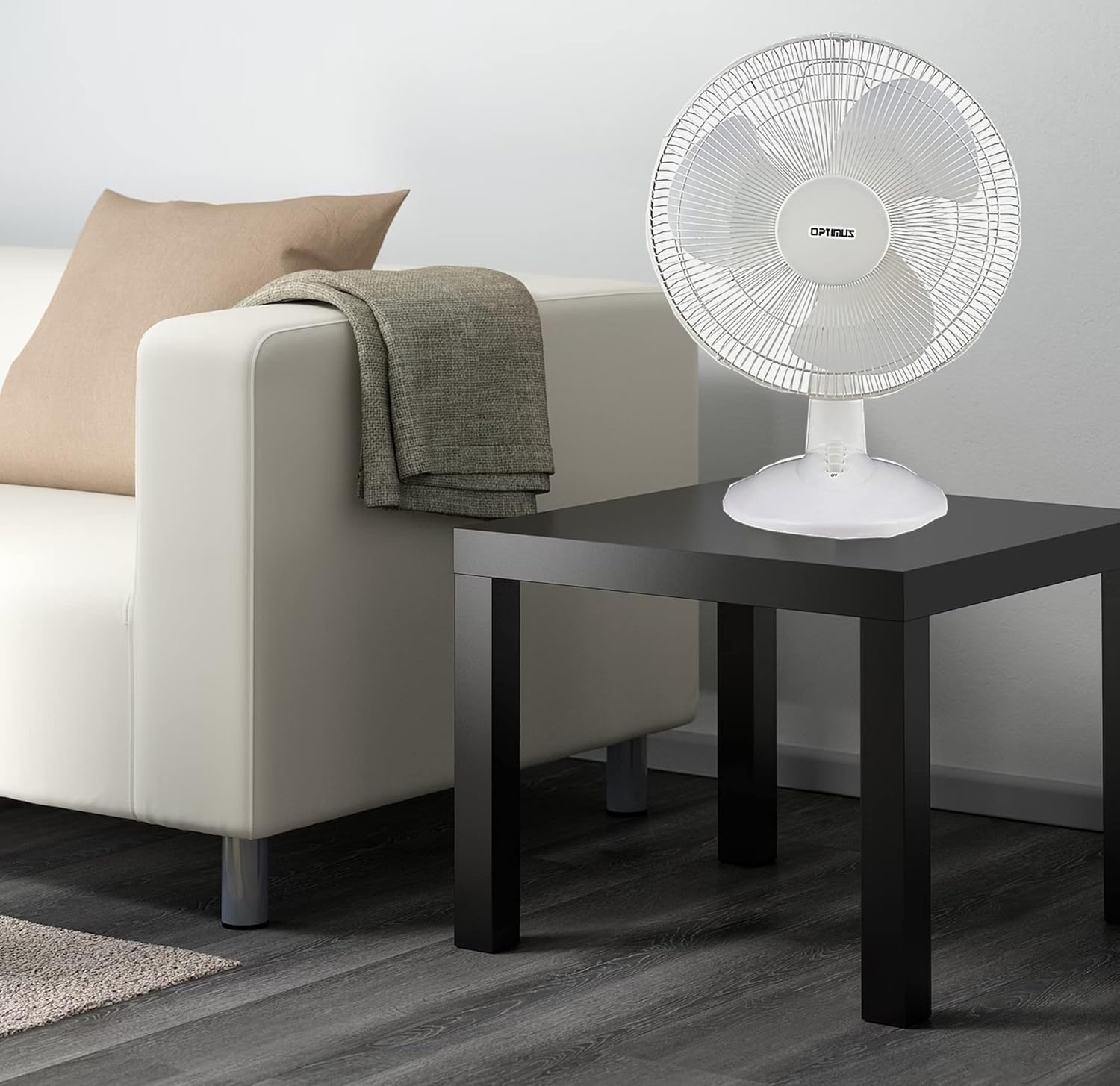
Figure 3: 4-Position Push Button Switch for speed control.
وظيفة التذبذب
The fan offers a full room of directional 90-degree oscillation to distribute air across a wider area:
- To start oscillation, push down the oscillation knob located on top of the motor housing.
- To stop oscillation and direct airflow in a fixed position, pull up the oscillation knob.
Adjustable Tilt/Angle Head
The fan head can be adjusted vertically to direct airflow precisely where needed:
- To adjust the tilt, gently push the fan head up or down to the desired angle. The fan head will remain in the selected position.

Figure 4: Adjustable tilt/angle head for vertical airflow adjustment.
الصيانة والتنظيف
سيضمن التنظيف والصيانة المنتظمان الأداء الأمثل وإطالة عمر المروحة.
تنظيف
- افصل المروحة دائمًا عن مأخذ الطاقة قبل التنظيف.
- استخدمي قطعة قماش ناعمةamp استخدم قطعة قماش لمسح الأسطح الخارجية للمروحة. لا تستخدم منظفات أو مذيبات كاشطة.
- To clean the fan blades, you may need to carefully remove the front grille. Refer to the assembly instructions in reverse order for safe removal and reattachment.
- تأكد من أن جميع الأجزاء جافة تمامًا قبل توصيل المروحة مرة أخرى.
تخزين
عند عدم استخدام المروحة لفترات طويلة، قم بتخزينها في مكان بارد وجاف، ويفضل أن يكون ذلك في عبوتها الأصلية، لحمايتها من الغبار والتلف.
استكشاف الأخطاء وإصلاحها
If your fan is not operating correctly, consult the following common issues and solutions:
- المروحة لا تعمل:
- تأكد من توصيل سلك الطاقة بشكل آمن بمأخذ كهربائي يعمل.
- Check if the outlet is receiving power by plugging in another appliance.
- Verify that the speed control button is pressed to an 'ON' setting (1, 2, or 3).
- المروحة صاخبة:
- تأكد من وضع المروحة على سطح مستوٍ وثابت.
- Check for any loose parts or obstructions within the fan grilles or around the blades.
- Clean the fan blades and grilles to remove any dust buildup that might cause imbalance.
- Fan does not oscillate:
- تأكد من الضغط على زر التذبذب الموجود أعلى غلاف المحرك.
إذا استمرت المشكلة بعد محاولة هذه الحلول، فيرجى الاتصال بدعم العملاء.
تحديد
| ماركة | أوبتيموس |
| رقم الموديل | إف-1230 |
| تصميم المروحة الكهربائية | مروحة الطاولة |
| لون | أبيض |
| مصدر الطاقة | كهرباء سلكية |
| عدد السرعات | 3 |
| ميزة خاصة | متذبذب |
| نوع التركيب | جبل منضدية |
| نوع وحدة التحكم | التحكم بالأزرار |
| واتtage | 50 واط |
| المجلدtage | 120 فولت |
| وزن العنصر | 4.95 رطل |
| نوع المادة | بلاستيك |
| الاستخدام الداخلي والخارجي | داخلي |
الضمان ودعم العملاء
معلومات الضمان
This Optimus F-1230 fan comes with a 1 سنة قطع الغيار والعمالة warranty. Please retain your proof of purchase for any warranty claims.
دعم العملاء
For technical assistance, troubleshooting not covered in this manual, or warranty service, please contact Optimus Enterprises. The manufacturer's contact information is: SEATTLE, WA, 98109 US.
You may also visit the official Optimus webموقع للحصول على موارد دعم إضافية.